
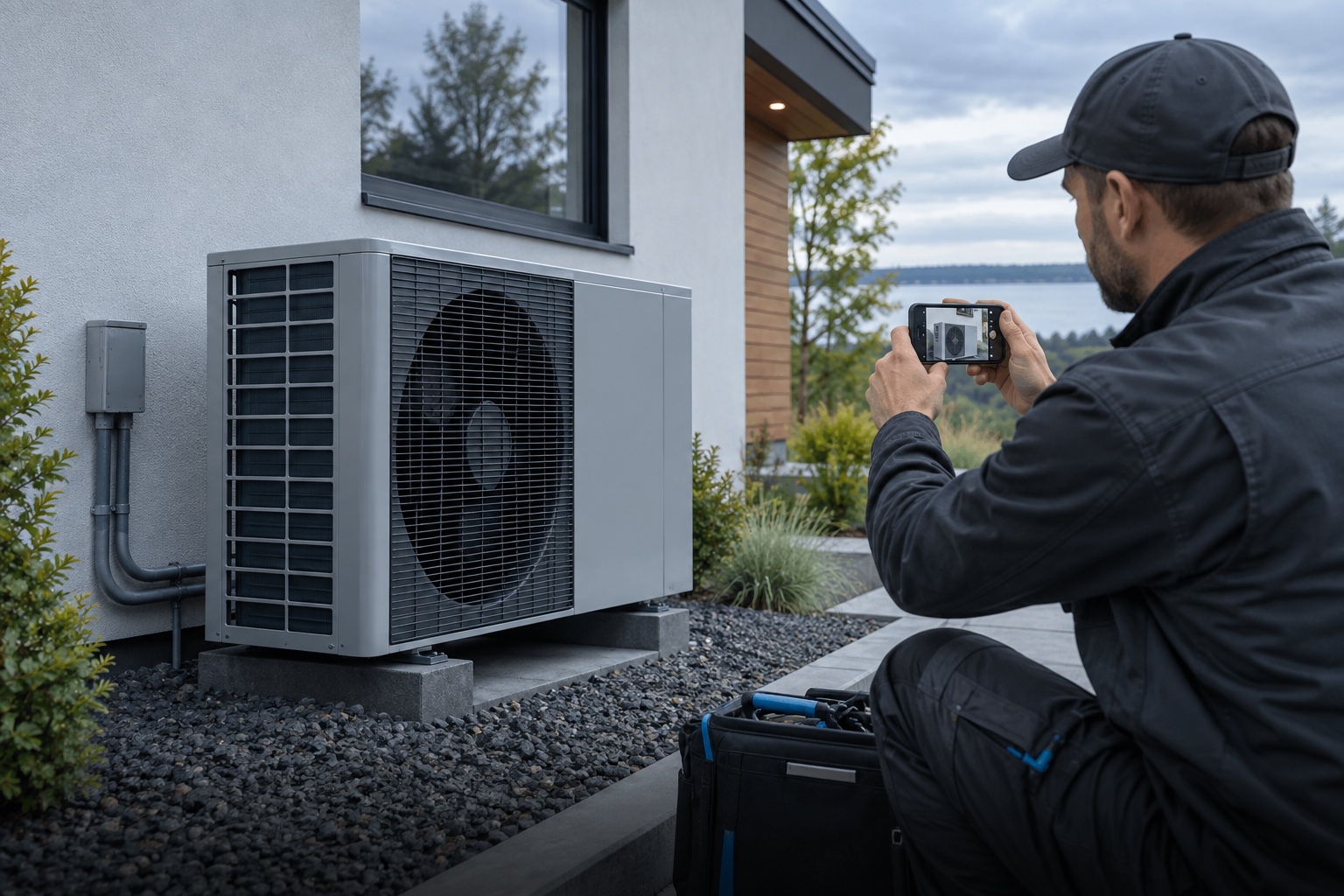

The details behind the shot.
Device-reported time, coordinates, GPS accuracy, altitude and direction. Add job references, equipment IDs, status and notes after capture.
The where. The when. The work you did.
Turn a quick photo into a record worth keeping.

Air conditioning inspection
25 Sep 202637.8136° S · 144.9631° E ±8 mTake your photo first. Add the information that matters.
Keep the original, and make a stamped copy to share.

Interactive product illustration using sample details.
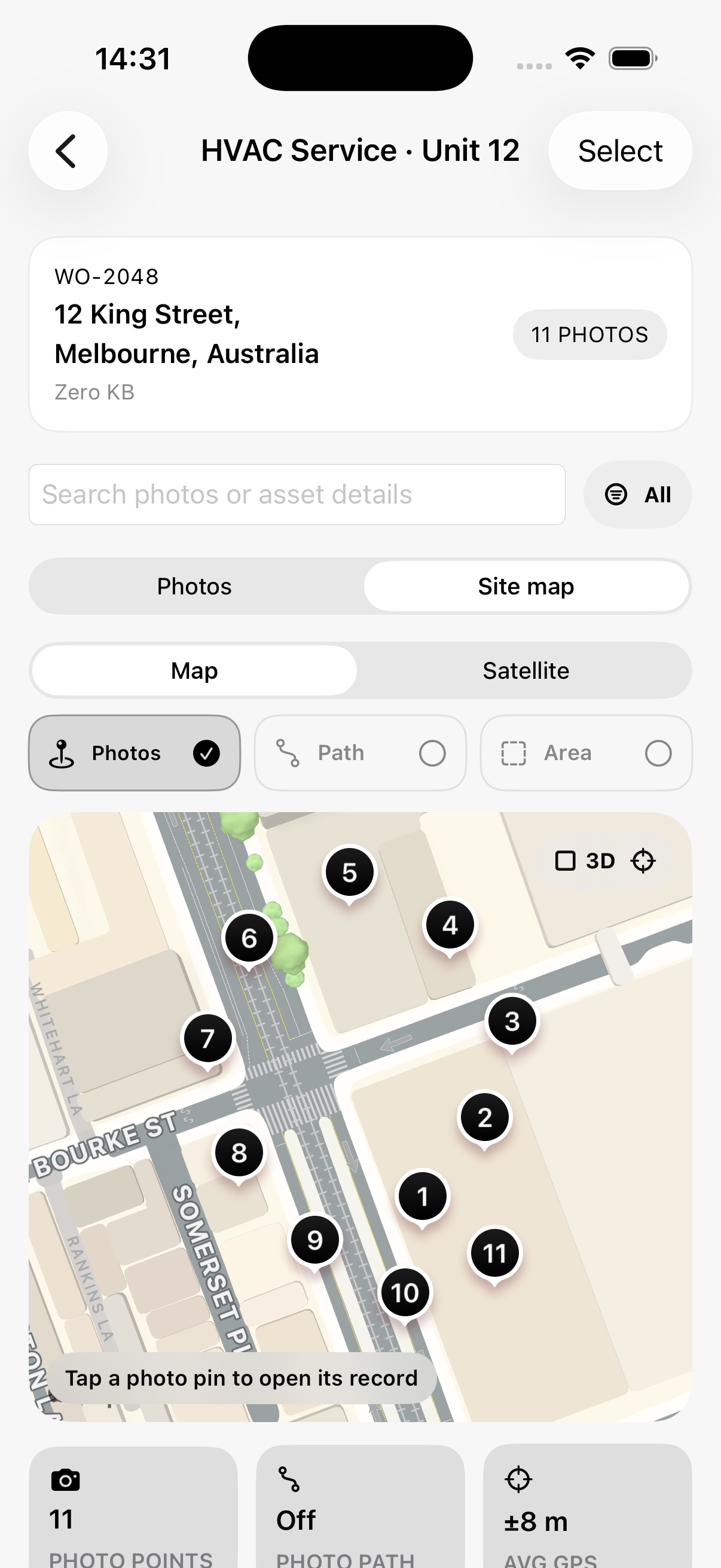
Find a photo where you took it. Open its record, follow your capture path, and see the bigger picture of a job.
In the app, tap a photo pin to zoom in, preview the image, and open its saved time, location, notes and equipment details.


Paths connect recorded photo locations, not a continuously tracked route. Distances and areas are approximate; GPS Stamp is not a surveying or navigation instrument.
Keep it simple. Put the time front and centre.
Or give every job a look of its own.
Nine built-in designs. Eight premium styles.
Create one custom style with your fields and logo for free.

Device-reported time, coordinates, GPS accuracy, altitude and direction. Add job references, equipment IDs, status and notes after capture.
Search, organize, archive and revisit your jobs. Keep every visit, photo and equipment record in context.
Standard and satellite views, optional 3D, accuracy circles, direction indicators, asset markers and aligned site-plan overlays.
Photo maps and layers are included in Free.Import a photo or stamp a batch with Pro. Review where imported time and GPS came from before you save.


Stamp a separate copy. Annotate with arrows, shapes and text. Revisit details and recover recently deleted records for 30 days.
Use decimal coordinates or unlock DMS, DM, UTM and MGRS. Choose metric or imperial units and your time format.
Choose supported lenses and zoom. Set focus, exposure, flash, torch, grid and timer, with controls available for your iPhone.
Create a local backup package in Settings. Save it outside the app, then restore your records when you need them.
Camera controls
Supported lenses, zoom, flash, torch, focus, exposure, grid and timer. Availability depends on your iPhone.
Keep jobs tidy
Move photos between jobs, update records, search equipment details, archive completed work and restamp photos.
Make exports useful
Filename presets, report configuration and retrying failed items. Share an original, a stamped copy or both.
Keep a way back
Local backup packages, restore, Recently Deleted and diagnostics you choose to generate and share.
Turn a job into a PDF report. Share location data with your mapping tools. Export a tidy bundle of photos with useful filenames.
Individual photo sharing is free. Job reports and data exports are included with Pro. Exported measurements remain approximate.
No account. No ads. Your photos and job records stay local. Optional usage statistics and crash reports are controlled in Settings. You control sharing and exports; your device backup settings also apply.
Read our privacy promise ↗A capable free camera. A one-time upgrade for your working toolkit.
For your first job and every important detail.
For more jobs, more styles and easier handovers.
No. The app saves a separate stamped copy and preserves the original. You choose which version to share.
GPS Stamp is a photo-documentation tool. Maps help organize records, and optional distances and areas are approximate. It does not replace survey equipment, certify boundaries or provide navigation.
Capture, stamping and local records work on your iPhone. Location quality depends on your device and conditions. Loading Apple Maps imagery and buying or restoring Pro can need internet.
Removing the app can delete its local records. Use Settings to create a backup and save it outside the app before uninstalling or changing devices. Copies you already saved to Photos or exported are managed separately.
No. Core features are free. Pro is a one-time in-app purchase for the premium features, with the price shown by Apple before you confirm.
Yes. Import one photo in Free, or a batch with Pro. The app distinguishes embedded, device-reported and user-entered information so you can review the source of time and location.
Your next field companion. Made for iPhone.
Ask about availability ↗Coming to the App Store. Launch link will appear here.